
Excel MONTH Function - extract the month from a date | Excel One-Minute Quick Reference


The MONTH function in Excel allows you to extract the month from the date. The MONTH function returns a number from 1 to 12.
- January would be the number 1 - July would be the number 7 - December would be the number 12.
In this article and video below, I show you how the month function works in Excel, the formula to use, reference the fields, formatting it so that you only see the month and nothing else.
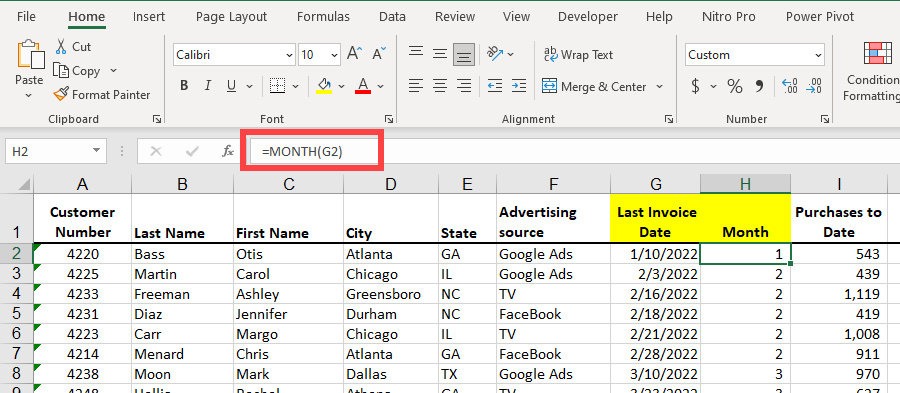
**Excel MONTH Function**
Syntax of the MONTH function
MONTH (serial\_number)
Example:
If A1 contains the date 8/15/2024, the month function will return the number 8.
**=MONTH(A1)**
YouTube Video on the MONTH Function
Excel MONTH Function - extract the month from a date | Excel One Minute Quick Reference



