
Excel: Make accounting, currency, and number style zero decimal places by default

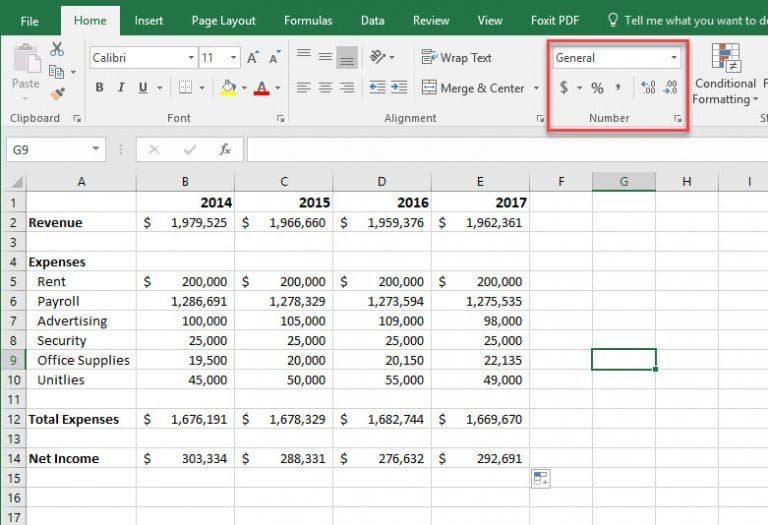
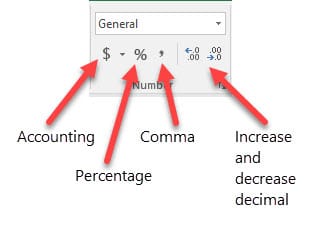
Microsoft Excel has the number group on the Home tab that is frequently used. The number group has five commands on the bottom row. Going from left to right the commands are Accounting Number format, Percent Style, Comma Style, Increase decimal, and decrease decimal.
1. Accounting Number format 2. Percent Style 3. Comma Style 4. Increase decimal 5. Decrease decimal
Using Accounting and Comma, the default decimal places are two decimal places. Example: 125.35 and 435,903.93.
When dealing with a lot of large numbers it is common to lose the decimal places. Instead of manually losing the two decimal places with decrease decimal, you can change your setting in the control panel to show zero decimal places by default.
Excel - make Accounting and Currency zero decimal places by default by Chris Menard - YouTube



