
Excel Loan Amortization for new car, new house, or refinance

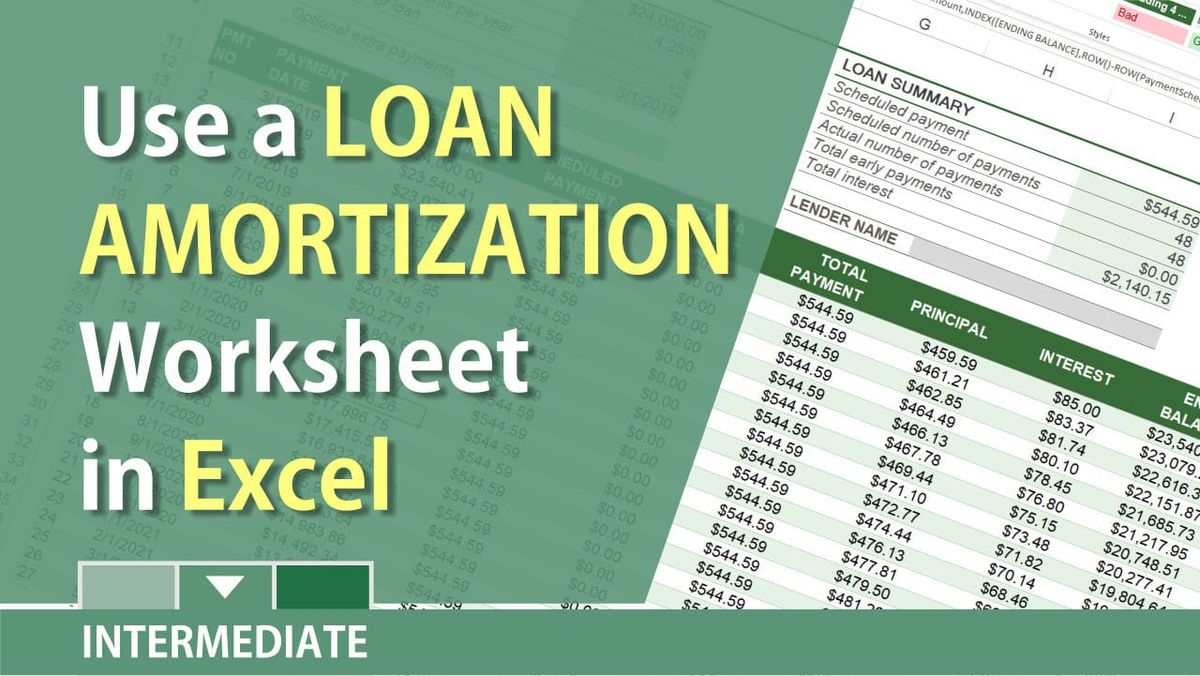
A loan amortization schedule also called a loan amortization table, is a table that illustrates the process of paying off a loan. The amortization table will show every payment and the details for that payment. How much principal and interest are paid in any particular payment.
There are usually seven key fields in a loan amortization table:
1. Month 2. Beginning Balance 3. Scheduled Payment 4. Principal 5. Interest 6. Ending Balance 7. Total Interest
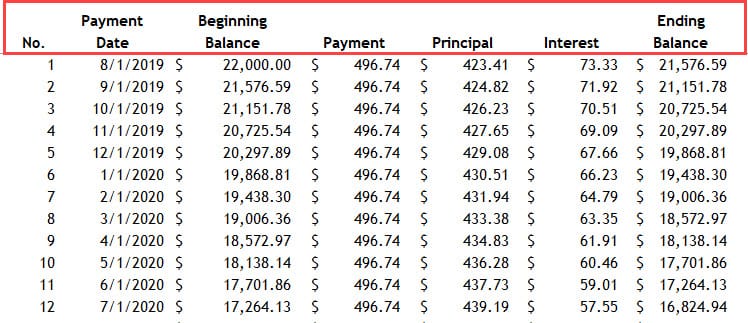
If you financed a new car or used vehicle for 48 months, the schedule would have a header row with the seven fields listed above and 48 rows of data detailing each payment. Below is a screenshot showing the first 12 months of payments for an auto loan at $22,000 with 4% interest rate for four years (48 months). The monthly payment is $496.74. The 1st payment is due on August 1, 2019.
You pay the same each month, but notice the longer you pay, the Ending Balance is going down. Each month, more of your fixed payment goes to principal. Payment 1, $423.41 went to the principal. Payment 12, $439.19 went to the principal.
Characteristics of a loan amortization table:
- The interest rate is fixed. - The monthly payment is fixed. Usually, you make the same payment every month. Examples are a car loan, personal loan, or home equity loan. - The loan gets paid down over time. Amortization is paying down a loan with a fixed payment schedule in regular installments.
Excel: Loan Amortization for car or house loan by Chris Menard
Download the Loan Amortization Excel File
[Loan Amortization File](https://chrismenardtraining.com/_CMT/images/sections/posts/2018/11-2018/Loan%20amortization%20schedule_Chris_Menard.xlsx)
You can change the following cells:
1. E3 through E7 2. You can use E9 but it is optional



