
Excel - How to use the Navigation pane for charts, tables, PivotTables, pictures, and worksheets


The Navigation pane in Excel is an easy way to understand a workbook's layout. With the Navigation pane, you can see charts, tables, images, and PivotTables. The Navigation Pane even shows you the elements by worksheet.
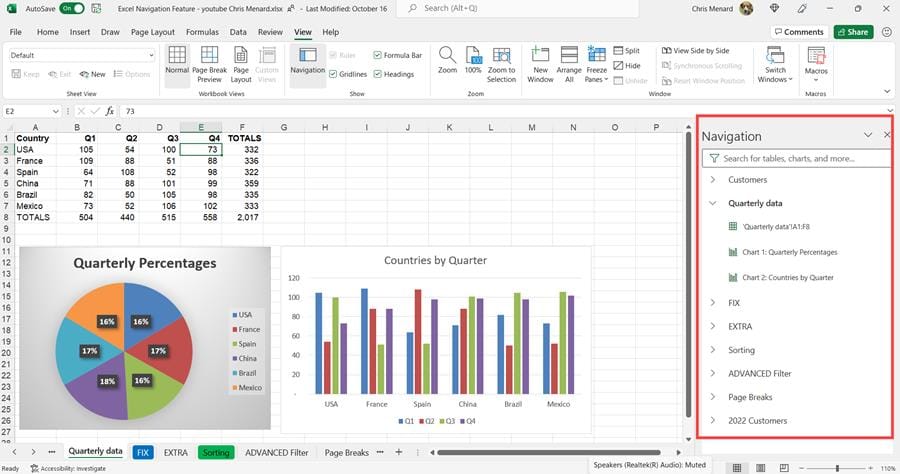
Navigation Pane in Excel - Worksheets show and elements on the worksheet
Clicking an element will take you directly to that element. The Navigation pane appears on the right side of your Excel file. It can be resized. To open the Navigation pane, have Excel open and click the View tab - Navigation pane, and it will open on the right side.
YouTube video
Excel - How to use the Navigation pane for charts, tables, PivotTables, pictures, and worksheets
Open the Navigation Pane
1. Click the **View** Tab. 2. Click **Navigation**.
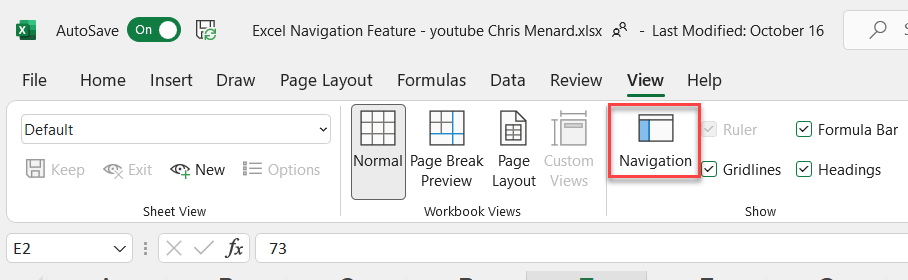
Navigation Pane in Excel
Explore the elements
When the Navigation pane opens, you'll see a list of elements such as tables, named ranges, and other elements from this sheet. Each sheet within the workbook will be in its own section. Select a section to expand and display its contents.
Each section will show any tables, charts, PivotTables, and images located on the sheet. Selecting an element will move the focus to that element on the sheet.
If the element is on another sheet within the workbook, the focus will switch to the correct sheet and element.
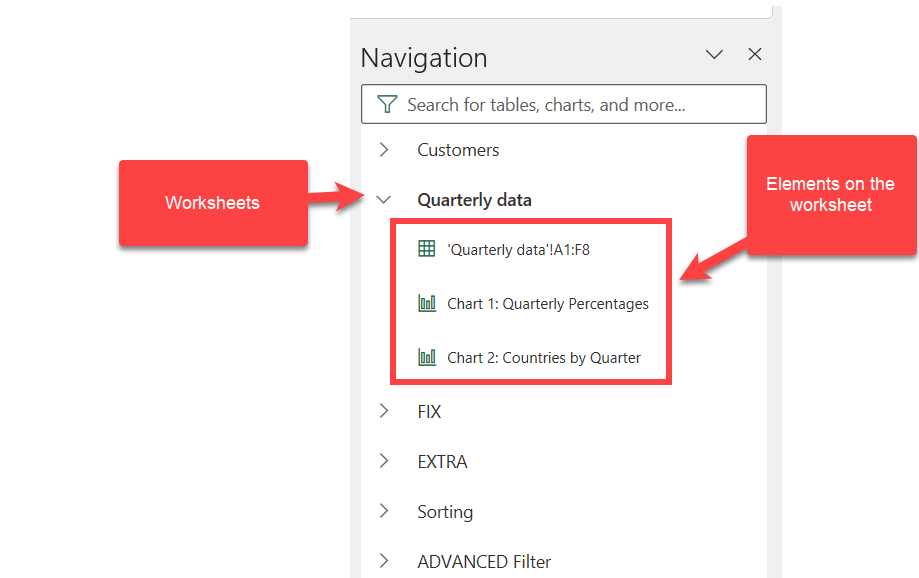
Elements in the Navigation Pane



