
Excel - Combine Multiple Tables - Relationships (PivotTables) and XLOOKUP


You can set up a relationship with two or more tables in Excel to create a PivotTable. XLOOKUP and VLOOOKUP also work, but you can skip those great functions and set up Relationships. For example, one Excel table contains the Employee ID and name. A second table contains the Employee ID, Department Name, Date of Hire, Location, and other information. If I want to see the employee's name and other information from the second table, I can set up a relationship with a Primary Key and a Foreign key.
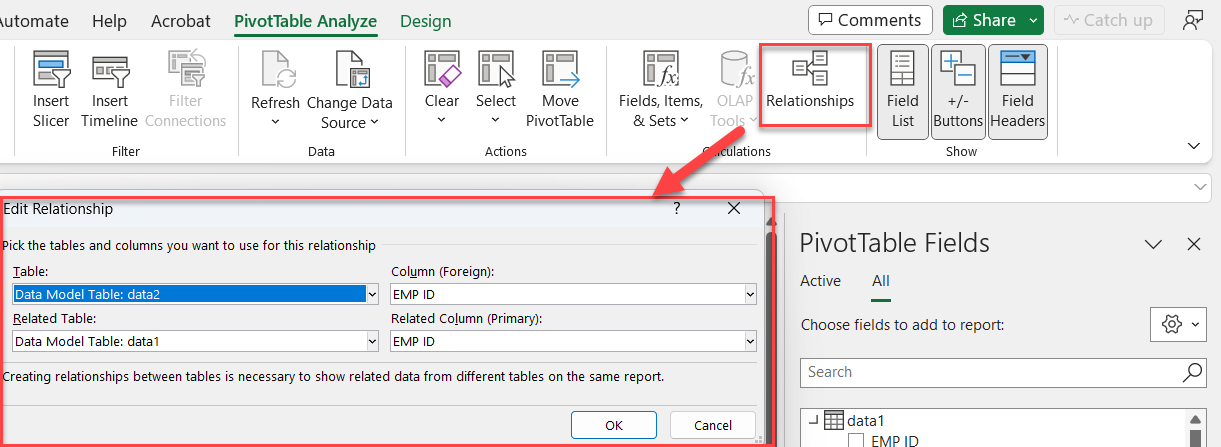
**PivotTable - Relationships**
YouTube Video
Excel - Combine Multiple Tables - Relationships (PivotTables) and XLOOKUP - YouTube



