
Excel Charts - Hide months with no data | One Minute Video

One of my YouTube scribers asked me, "How to Exclude Dates With No Data From Charts in Excel?" When you chart data, months with no data appear. For example, if you chart January through December and March and August do not have any data, they will show on the x-axis. You can use Format Axis and Text Axis to hide the months with no data.
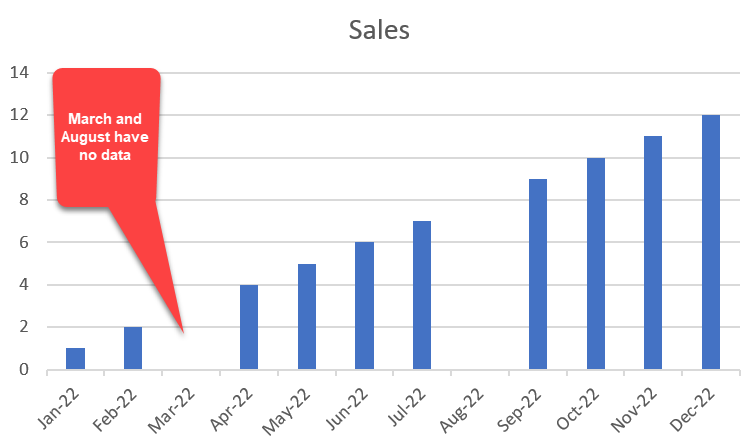
Excel - hide months with no data in a chart
YouTube Video
Excel Charts - Hide months with no data | Excel One Minute Quick Reference
Steps to hide months with no data
1. Select your data and make a chart using the Insert Tab and Chart group. 2. Right-click on the months in the x-axis 3. Select **Format Axis**. 4. Click **Text Axis**.
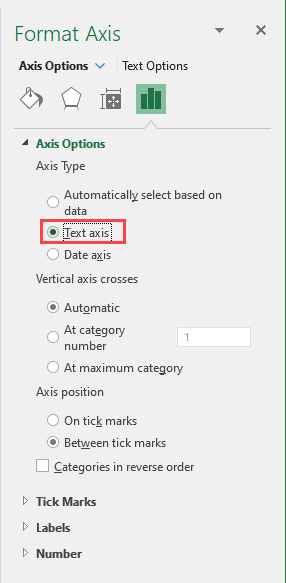
Use Text Axis to hide months with no data



