
Create a map chart in Excel from Web Data

Share
Create a map chart in Excel from Web Data

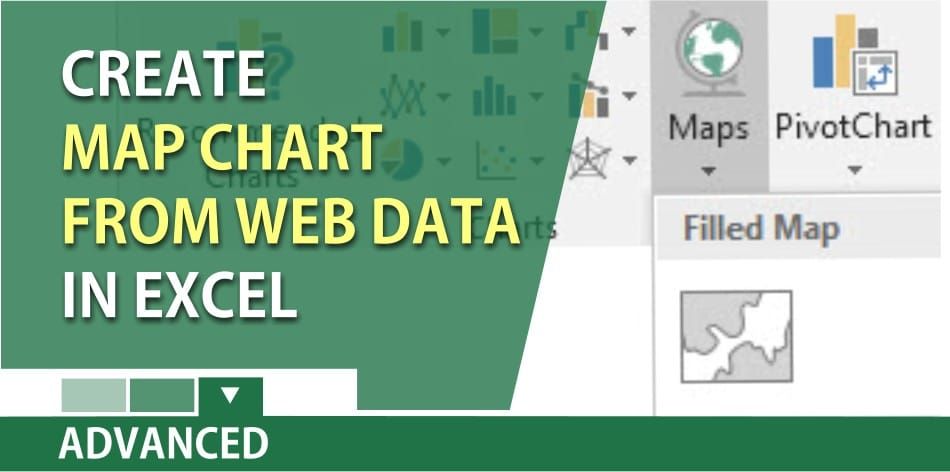
You can use Microsoftโ€™s **Map Chart** to compare values and show categories across geographical regions. The map chart works with geographical regions. This means your data should have

1. Countries
2. Regions
3. States
4. Counties
5. Postal codes
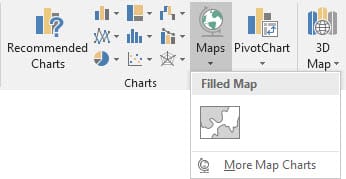
Excel Map Chart

Note: This feature is only available if you have an Office 365 subscription. If you are an Office 365 subscriber, make sure you have the latest version of Office.

To create a map chart

1. Click a cell in your data range or table.
2. Select the Insert tab > Charts > Maps.
3. Click OK

Video on creating a map chart

Map Charts with Disambiguation, the multiply trick, and two functions by Chris Menard - YouTube

Read more

Copilot Skills in PowerPoint - Live Stream on October 20, 2026

Copilot Skills in PowerPoint - Live Stream on October 20, 2026

๐— ๐—ผ๐˜€๐˜ ๐—ฃ๐—ผ๐˜„๐—ฒ๐—ฟ๐—ฃ๐—ผ๐—ถ๐—ป๐˜ ๐˜‚๐˜€๐—ฒ๐—ฟ๐˜€ ๐—ธ๐—ป๐—ผ๐˜„ ๐—–๐—ผ๐—ฝ๐—ถ๐—น๐—ผ๐˜ ๐—ฐ๐—ฎ๐—ป ๐—ฐ๐—ฟ๐—ฒ๐—ฎ๐˜๐—ฒ ๐˜€๐—น๐—ถ๐—ฑ๐—ฒ๐˜€. ๐—™๐—ฎ๐—ฟ ๐—ณ๐—ฒ๐˜„๐—ฒ๐—ฟ ๐—ธ๐—ป๐—ผ๐˜„ ๐—ฎ๐—ฏ๐—ผ๐˜‚๐˜ ๐˜๐—ต๐—ฒ ๐Ÿด ๐—ฏ๐˜‚๐—ถ๐—น๐˜-๐—ถ๐—ป ๐—–๐—ผ๐—ฝ๐—ถ๐—น๐—ผ๐˜ ๐—ฆ๐—ธ๐—ถ๐—น๐—น๐˜€ ๐˜๐—ต๐—ฎ๐˜ ๐—ฐ๐—ฎ๐—ป ๐—ฐ๐—ผ๐—บ๐—ฝ๐—น๐—ฒ๐˜๐—ฒ๐—น๐˜† ๐—ฐ๐—ต๐—ฎ๐—ป๐—ด๐—ฒ ๐—ต๐—ผ๐˜„ ๐˜†๐—ผ๐˜‚ ๐—ฏ๐˜‚๐—ถ๐—น๐—ฑ, ๐—ถ๐—บ๐—ฝ๐—ฟ๐—ผ๐˜ƒ๐—ฒ, ๐—ฎ๐—ป๐—ฑ ๐—ฝ๐—ฟ๐—ฒ๐˜€๐—ฒ๐—ป๐˜ ๐—ฎ ๐—ฑ๐—ฒ๐—ฐ๐—ธ. Join me live on October 20, 2026, at Noon Eastern as I demonstrate each Copilot Skill and show practical ways to use them in your presentations. PDF of the 8 Copilot Skills in Pow

By Chris Menard

