
Correct data imported into Excel from a database

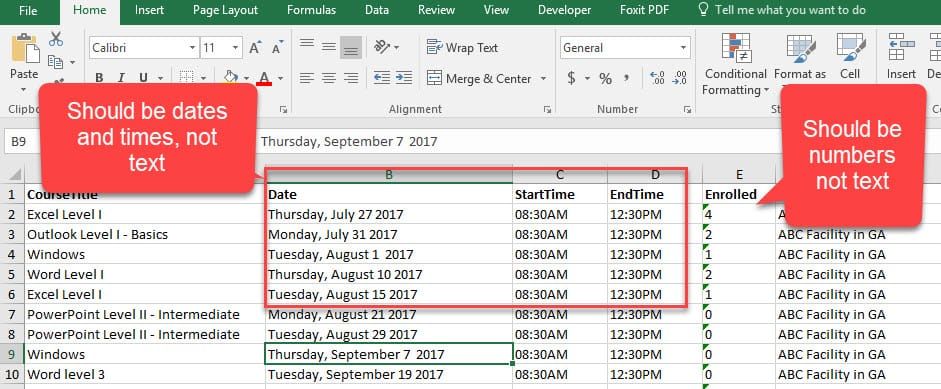
A client sent me an Excel file they pulled from a database. I had to correct the dates, numbers, and text so I could do calculations.
In this blog post, I cover:
1. T function 2. Text to columns 3. CTRL + H for replace 4. Trim function 5. Convert text to numbers 6. Convert text to dates 7. Value Function
T Function in Excel
If the value is or refers to text, T function returns the value. If the value does not refer to text, T returns “” (empty text).
You do not generally need to use the T function in a formula because Microsoft Excel automatically converts values as necessary. This function is provided for compatibility with other spreadsheet programs.
Value Function in Excel
I use the Value function to change what appears as a date but is actually text to a true date.
Video of correcting Excel file
Correct Excel file with T function, value, text to columns by Chris Menard - YouTube



