
Copilot: Summarize Emails, Chats, and Files with Others In SECONDS


Microsoft 365 Copilot is revolutionizing how we manage information across multiple apps and communication channels. One of its most powerful features is the ability to quickly summarize emails, chats, and files from specific people, saving users valuable time and helping them stay informed. Let's explore how this Copilot feature works and why it's so useful.
Accessing Copilot's Stay Informed Feature
There are two main ways to access this Copilot functionality:
- From the Windows taskbar: Click the Copilot icon and select "Work" mode
- Within Microsoft Teams: Open a chat and click the Copilot button
For this demonstration, we'll use the Teams method, as it provides a seamless experience within your existing workflow. To access Copilot in Teams:
1. Click **Chat** 2. Click **Copilot**
Using Stay Informed with Copilot
Once you've activated Copilot in Teams, follow these steps:
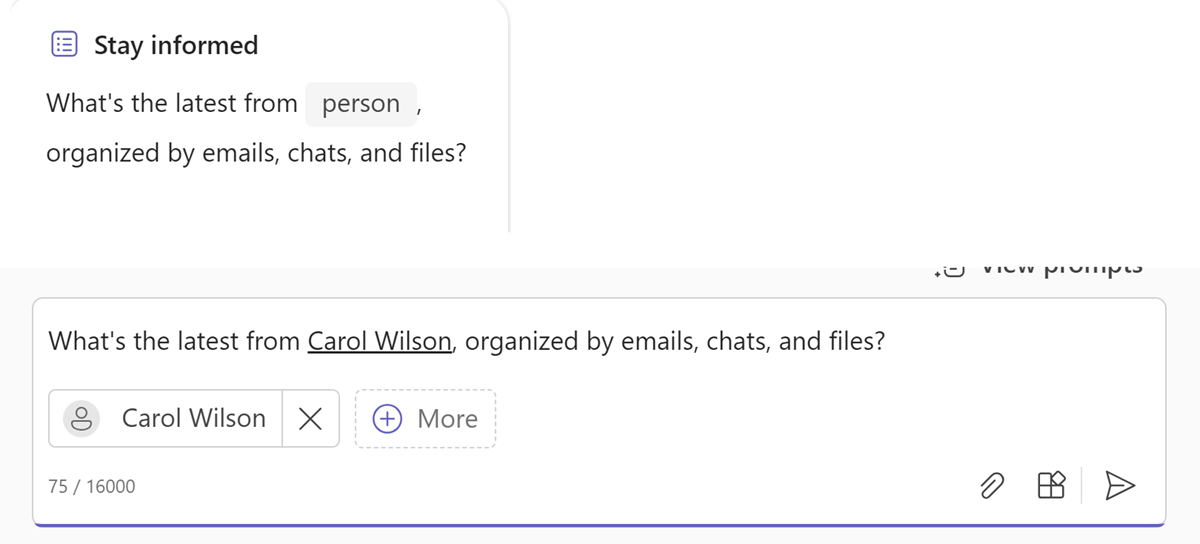
1. Click on the " **Stay Informed**" option 2. Remove any pre-selected contacts you don't want to include 3. Search for and add the person you want to get information about 4. Send the prompt to Copilot
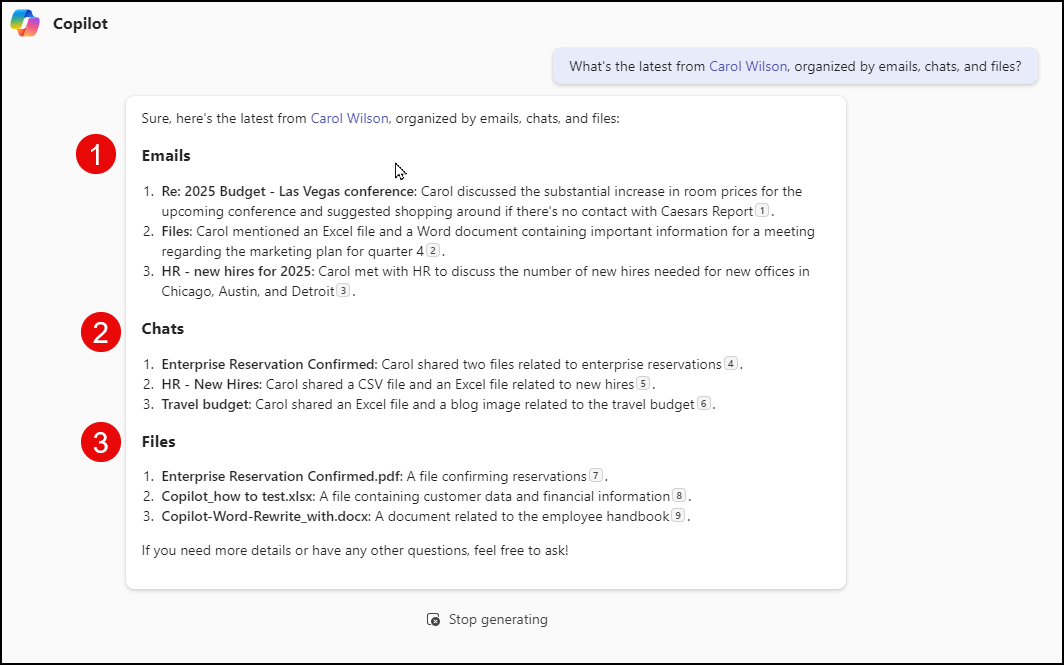
Copilot will then process your request and return a neatly organized summary of your interactions with that person.
YouTube Video - Copilot Summarize Email, Chats, and Files
Copilot: Summarize Emails, Chats, and Files with Others In SECONDS - YouTube
How Copilot Organizes Information
Copilot's Stay Informed feature presents information in three key categories:
- Emails: A summary of email conversations and important details
- Chats: Key points from Teams or other messaging platforms
- Files: Shared documents and collaborations
This categorization makes it easy to quickly grasp the context and content of your interactions across multiple Microsoft 365 apps.
Benefits of Using Copilot to Summarize from Many Apps
There are several advantages to using this Copilot feature:
- Time-saving: Get a quick overview without manually searching through multiple apps - Comprehensive: See all interactions in one place, regardless of the communication channel - Context-aware: Understand the full scope of your relationship and recent interactions with a colleague - Preparation tool: Quickly refresh your memory before meetings or important conversations
Conclusion
Copilot's ability to summarize from many apps is a game-changer for professionals who need to stay informed and manage multiple communication channels. By consolidating emails, chats, and files into a single, easy-to-digest summary, Copilot helps users save time, improve preparation, and maintain better awareness of their work relationships and ongoing projects.



