
Add the filename and path to a Word document


Microsoft Word - add the filename and path in the footer by Chris Menard - YouTube
You should add the filename and path to a Word Document, so the next time you have to update it, you know exactly where you saved it from looking at the printed copy. I usually put the filename and path in the footer, but you can add it to the header.
Steps to add the filename and path to a Word doc
1. On the **Insert** tab, in the **Header & Footer** group, click **Header** or click **Footer**.
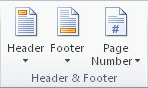
2. Click **Edit Header** or click **Edit Footer**. The cursor is now located in the header or the footer of your document.
3. On the **Insert** tab, click **Quick Parts**.
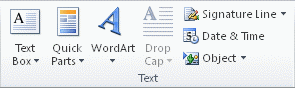
4. Click **Field**. 5. In the **Field names** list, click **FileName**. To include the file path or server address, select the **Add path to filename** check box. 6. Click **OK**.



