Using Copilot's Think Deeper Mode for Financial Calculations and Investment Projections


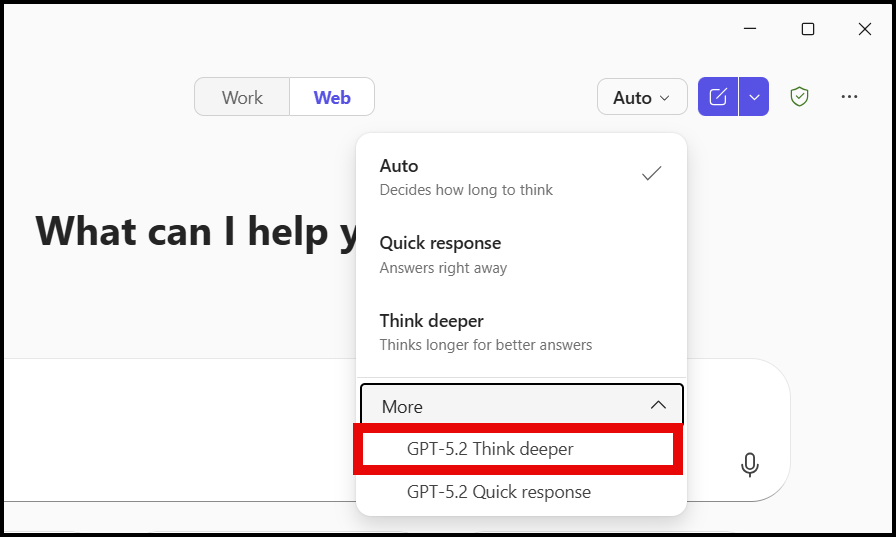
Microsoft 365 Copilot Chat now has a "Think Deeper" mode designed for complex, multi-step problems. I demonstrates it with a real financial scenario: calculating investment returns and projecting future account values with different contribution amounts.
The New Modes in Copilot Chat
Copilot Chat offers multiple processing modes. The "Think Deeper" mode takes more time to work through a problem but produces significantly more detailed and accurate results — especially for calculations that involve multiple steps, like compounding interest over years.
Setting Up the Financial Problem
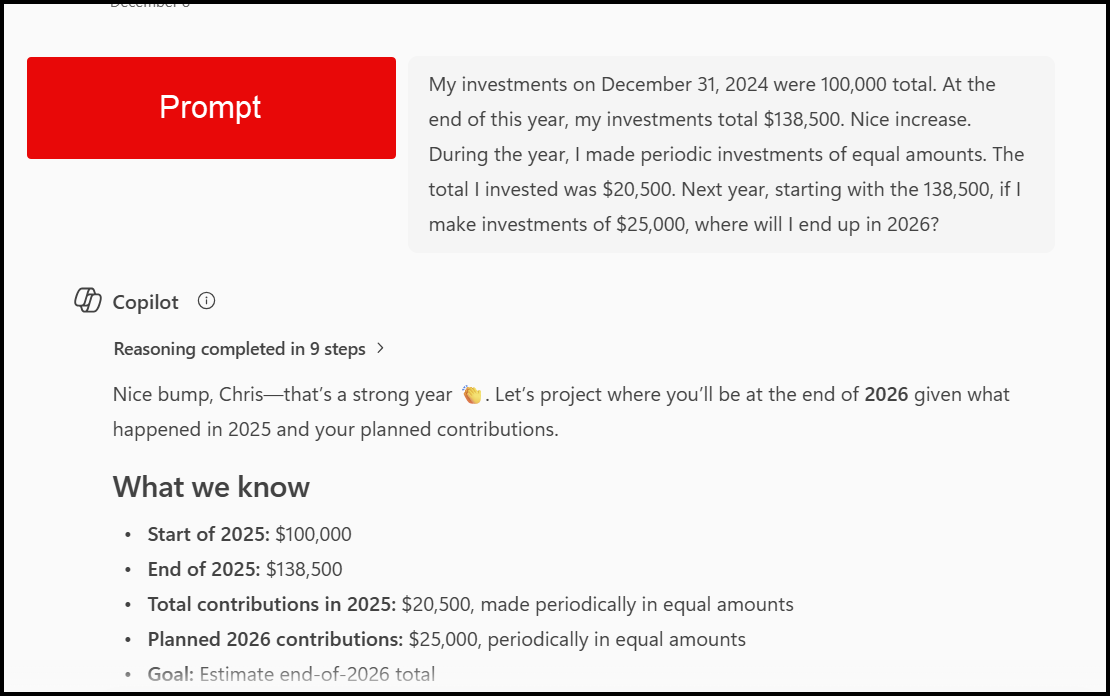
I provides Copilot with an investment scenario including starting balance, expected annual return rate, and monthly contribution amounts. I asked Copilot to project the account value over multiple years and compare different contribution levels.
Prompt: My investments on December 31, 2024 were 100,000 total. At the end of this year, my investments total $138,500. Nice increase. During the year, I made periodic investments of equal amounts. The total I invested was $20,500. Next year, starting with the 138,500, if I make investments of $25,000, where will I end up in 2026?
Multiple Scenario Analysis
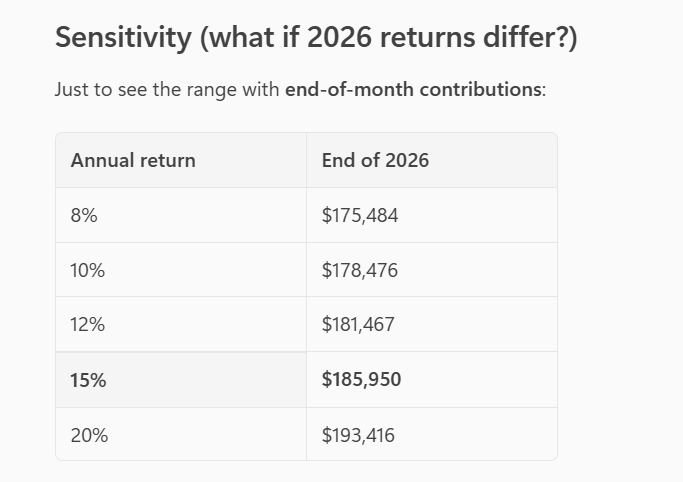
Without additional prompting, Copilot generates multiple scenarios showing different contribution amounts and their projected outcomes. It produces an Excel file with proper formulas, monthly and annual summaries, and clearly labeled columns.
Verifying Accuracy
Chris verifies Copilot's calculations against an online financial calculator. The results match, confirming that Think Deeper mode handles compound interest correctly.
One important detail: Copilot correctly converts the annual percentage rate (APR) to a monthly rate using the proper formula. Most people simply divide by 12, but the mathematically correct approach accounts for compounding — and Copilot gets this right.
For related financial content, see how to use the Future Value function correctly in Excel, or explore financial ratio analysis with Formula Completion. To understand the difference between Copilot Chat and the full M365 Copilot, check Copilot Chat vs Microsoft 365 Copilot.
Availability
The free version of Copilot Chat with Think Deeper mode is available to business and enterprise users through the web interface. While this tutorial focuses on investment calculations, the same approach works for any scenario requiring detailed numerical analysis.
Watch the full tutorial:
Financial Calculations with Copilot
Want to learn more? Visit courses.chrismenardtraining.com for online training courses.