
Excel Images - Two New Features - IMAGE function and Data from Image


Excel has two new image-related features coming out. In this video, a preview of my teaching session at the ASAP (American Society of Administrative Professionals) Virtual Event in November, I walk you through these two new Excel functions.
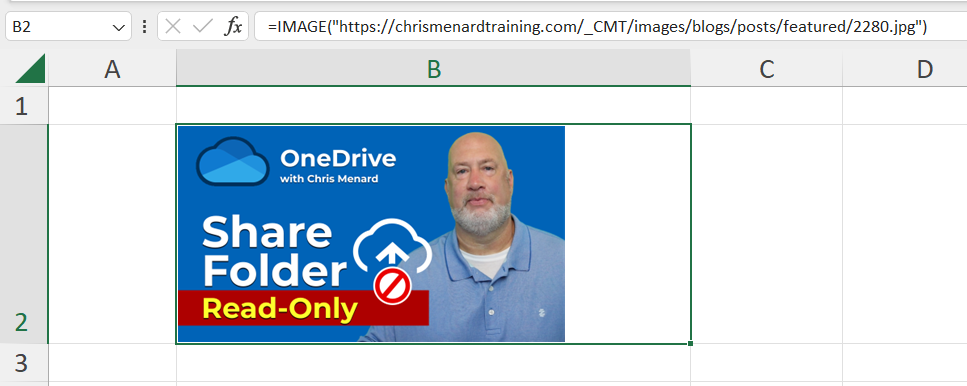
IMAGE Function in Excel
The IMAGE Function inserts images into cells from a webpage or other source location. You can use an image function to load images from anywhere right into your spreadsheet cells (and retain sorting and filtering capabilities).
IMAGE Function Syntax
=IMAGE(source, [alt_text], [sizing], [height], [width])
The only required argument is the source.
YouTube video
Excel Images: Two New Features \| IMAGE function and Data from Image
Excel - Data From Picture feature
With Excel's Data from Picture feature, you can insert data from your clipboard, a screenshot, or an image you have saved on your computer.
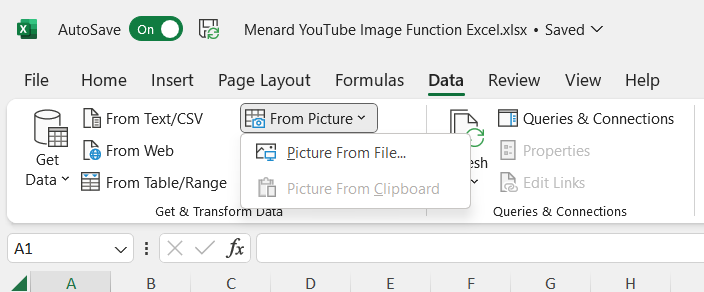
Excel - Data from Picture feature
Example of Data from Picture
The image on the left is from a website. The image on the right is Data from picture is used to pull in the data from the screenshot.
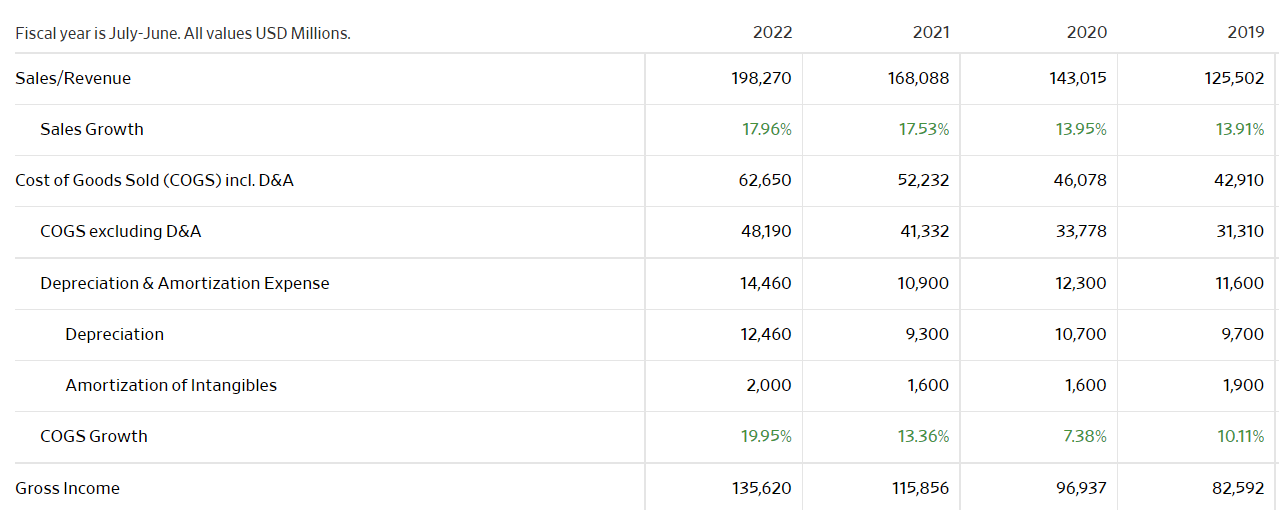
Screenshot of financial data
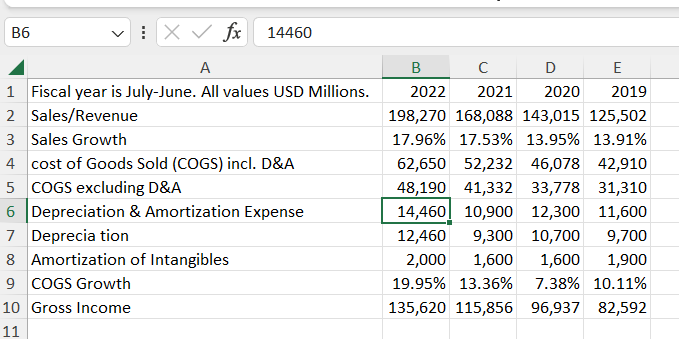
Data pulled into Excel



